



Hello, one and all, I finally return to blogging! It took me a while, not only because I had to get everything set up for school(which, that in of itself deserves it's own blog >:/), but I didn't have any new tech finds to write home about.
Cue two weeks ago I find a free TV on marketplace, and now we're here.
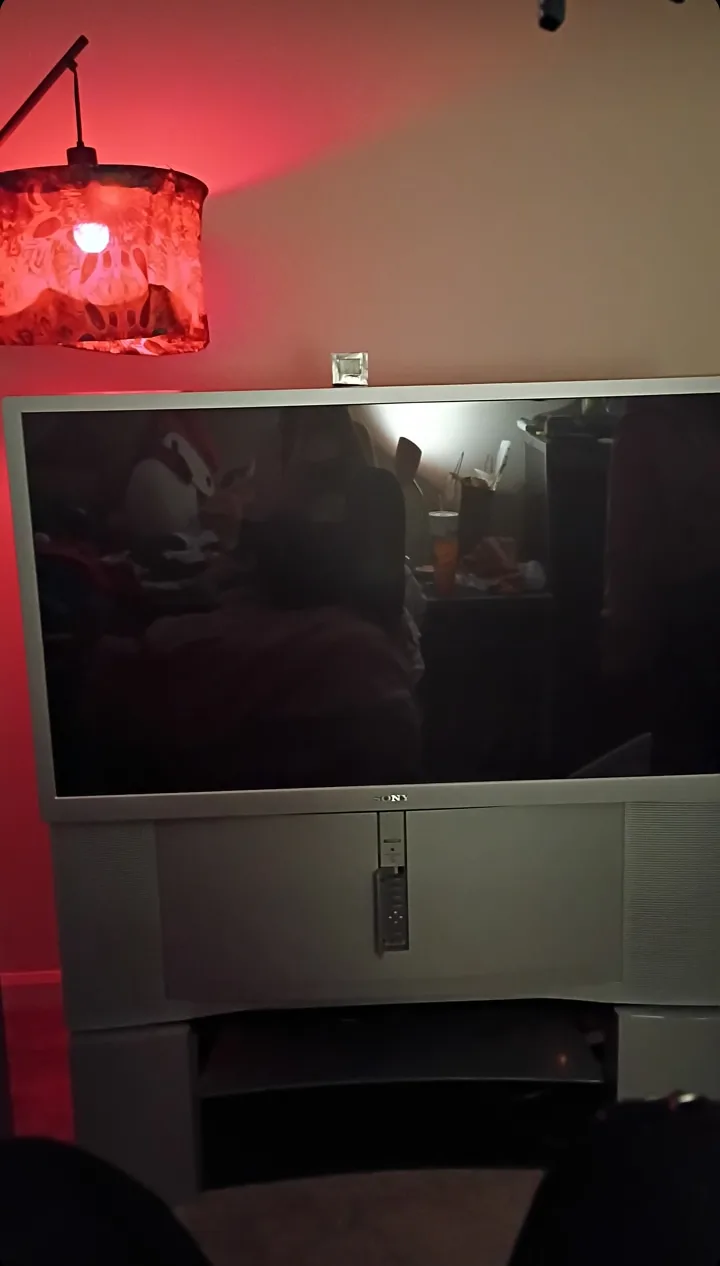
The KP-46WT500 is a Rear Projection CRT, which while I'm not exactly sure what Rear Projection fully means(TV nerds are welcome to explain!), I do know what a CRT is.
Let's start with the pros: It's a HUGE display, 46 inches, and widescreen, though more on that later. It has 7 total inputs, minus the TV port, including 4 Composite, 2 Component, and one DVI, more than enough for me. It came with the original stand, which looks really nice paired with the beast.
Now, the cons. The picture is complete garbage. It's blurry, has really bad viewing angles, and the colors are separating. Even testing with NES games I found it very hard to visually comprehend what was happening, let alone my Xbox 360. The widescreen is also messing a couple things up there, as it stretches out the picture heaps. I'm certain there's a way to fix that, but I'm not TV savvy so I wouldn't know how(again, TV nerds are welcome to give advice!) I'm sure this is just a common thing with these, but it's extremely heavy, and we didn't get it aligned to the base, so that's just gonna bother me forever. I'm definitely not strong enough to lift it up to fix that lol.
Despite the TV being a total dud, it's MINE and that's what matters! I actually love this giant piece of garbage and intend to keep it FOREVER, given it's my first technically CRT.
Pictures!!
Comments
Displaying 12 of 12 comments ( View all | Add Comment )
already
(edited) Report
haha, yeah, all of that is the rear projection experience. like larpmaster says, they're meant for movie/tvs. they were released as a luxury at-home alternative to theater going - the whole point is to have a big view in a dark room, like a movie being projected onto the silver screen.
if you have the remote, there's probably some kind of video setting or setup option that will reference 16:9 mode or wide screen that you can turn off so it stops stretching your 4:3. with the consoles like the xbox 360, you might have to find the combination of that setting plus your consoles native 4:3/16:9 options that keeps the video from being stretched. not much to say for the blurring that larpmaster didn't already say.
i'm impressed that it takes dvi input - dvi is still relatively current to this day. my graphics card (10 years out of date) outputs dvi, so i could plug it straight into my computer instead passing it through a downscaler - and decent downscalers are pretty pricey as far as obselete tech resale goes!
I'm surprised abut DVI too! I wonder why they put that on there. I have a converter on the way that will hopefully allow me to connect my PC to it, which will be a lot of fun if I can get it to work! I'll be posting that update later today, if it even works
by Farrah; ; Report
larpmaster5222
It might have really gone bad but RPTVs were primarily meant for TV/movies, not gaming. Also doesn't help that it's an HDTV. The blurring with your 360 (and your NES, but especially the 360) is probably just because you're using composite (maxes out at 480i), plug it in via component and it'll look much better. Sadly I think 720p gets converted down to 480p on your model but 1080i should work fine if you don't mind the interlacing.
I see, thank you. There was a really bad alignment issue with my other xbox 360, not sure what that was about. I already have it in component, so I don't think there's much else I can do with the picture, especially given I don't have a remote for it
by Farrah; ; Report
Are you sure it's set to 1080i and the cable contacts are good? I really don't think it's supposed to look that bad.
by larpmaster5222; ; Report
I know the cable contacts are good, I checked them before using the cable. 1080i, I'm unsure of how to enable. I will look into it though, ty!
by Farrah; ; Report
I'm not 100% sure but there should be a setting on the console itself, also make sure the physical switch on your component cable is set to "HDTV".
by larpmaster5222; ; Report
Oh my gosh THANK YOUU it looks s much better now it was the console settings!!
by Farrah; ; Report
No problem. Also a cheap universal remote (or possibly a phone old enough to still have an IR blaster) would probably work on the TV so you don't have to look for the actual specific remote to go with it.
by larpmaster5222; ; Report
Likwidphase2005
I really love those TVs but they are a bitch to move when you do I keep it to small crt TVs
Yep, I'm just gonna not think abut how i'll move it until i need to TvT
by Farrah; ; Report
Lmao! I don't blame you at all!
by Likwidphase2005; ; Report