



So as I'm building my Neocities, I've kinda been falling down rabbit holes regarding web revival and the IndieWeb. Learning new things like webring and what not. There's still a lot for me to learn it seems, but I do wanna express to everyone that has an independent blog or website to look into RSS.
It hurts my heart when I stumble on a cool site or blog, and it's extremely difficult for me to find the follow button, so I can follow them on neocities. Even worse when I can't find it at all. How do you expect people to come back to your site??
I already knew about RSS back when i was on spacehey, and you will see that symbol all around most of these retro revival sites. But what does it mean?

RSS stands for Really Simple Syndication. A tool that sends updates from your favorite sites, to a single place.
Handy for webmasters and bloggers, since people don't have to manually check your sites and handy for readers who want control over their newsfeed, and simply don't wanna lose sites to a sea of bookmarks.
How to add RSS
Below is a tutorial for webmasters and bloggers to add RSS. If you're wondering about RSS reader, I'll probably post about that later, but I personally use Inoreader. I do think there are other ways to add RSS but today we'll talk about adding it via coding (trust me it's not hard, don't stress)
Right now I'm going to be talking to the users of nekoweb and neocities. I plan on exploring RSS for wordpress and blogspot later on.
If you use nekoweb or neocities, then your site should already come with a RSS. (I personally use neocities). It’s important to set up your own personal RSS that people can follow because when people follow you on neocities they are updated on all the little site changes, the moment you hit save. If you are a control freak like me and want to inform people of important updates, or want people to have different feeds for different things (ex. Subscribe here for bulletins, subscribe here for blogs) then you need too set up an RSS Feed.
This is what my neocities RSS feed looks like, out of the box:
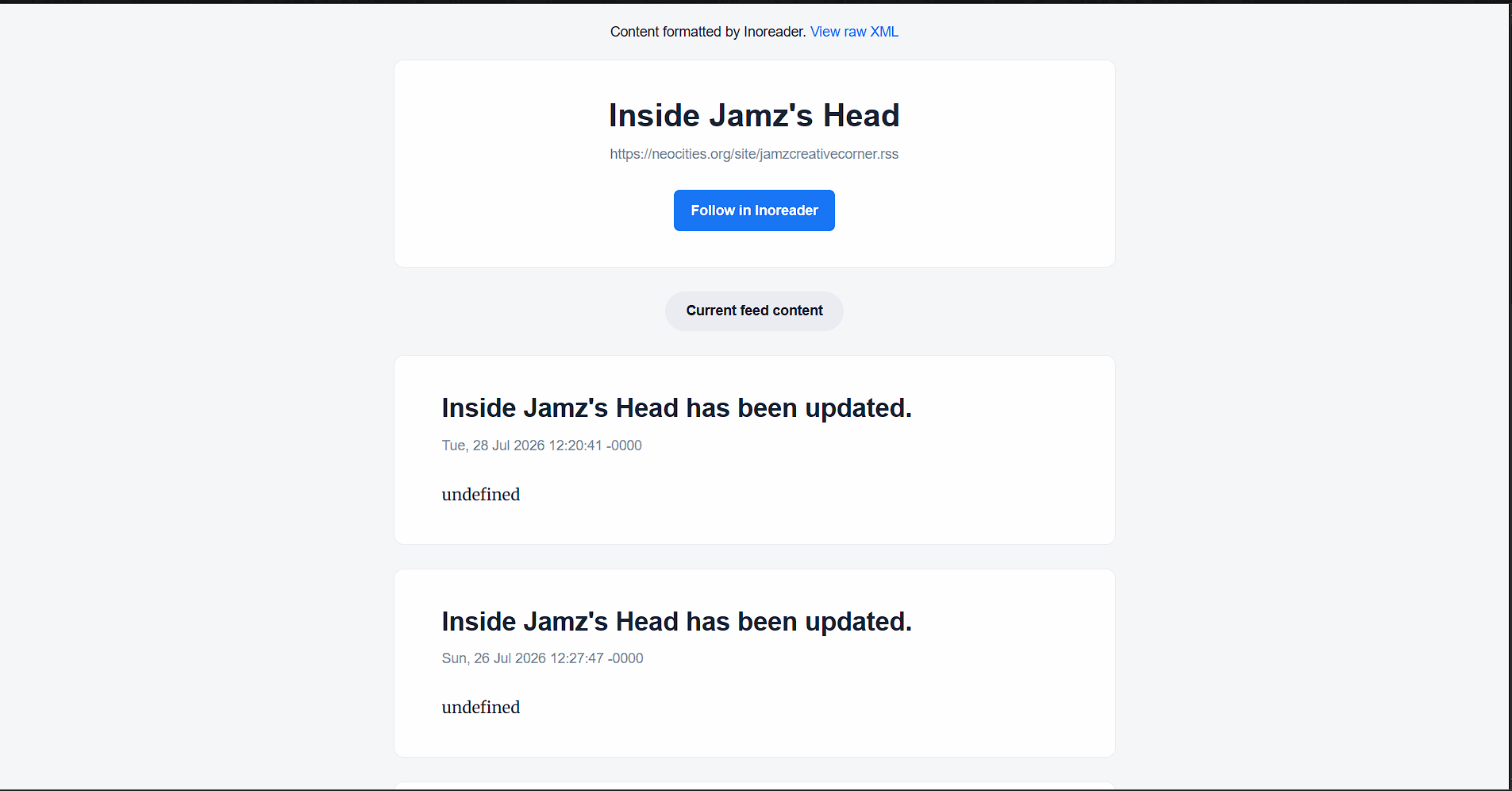
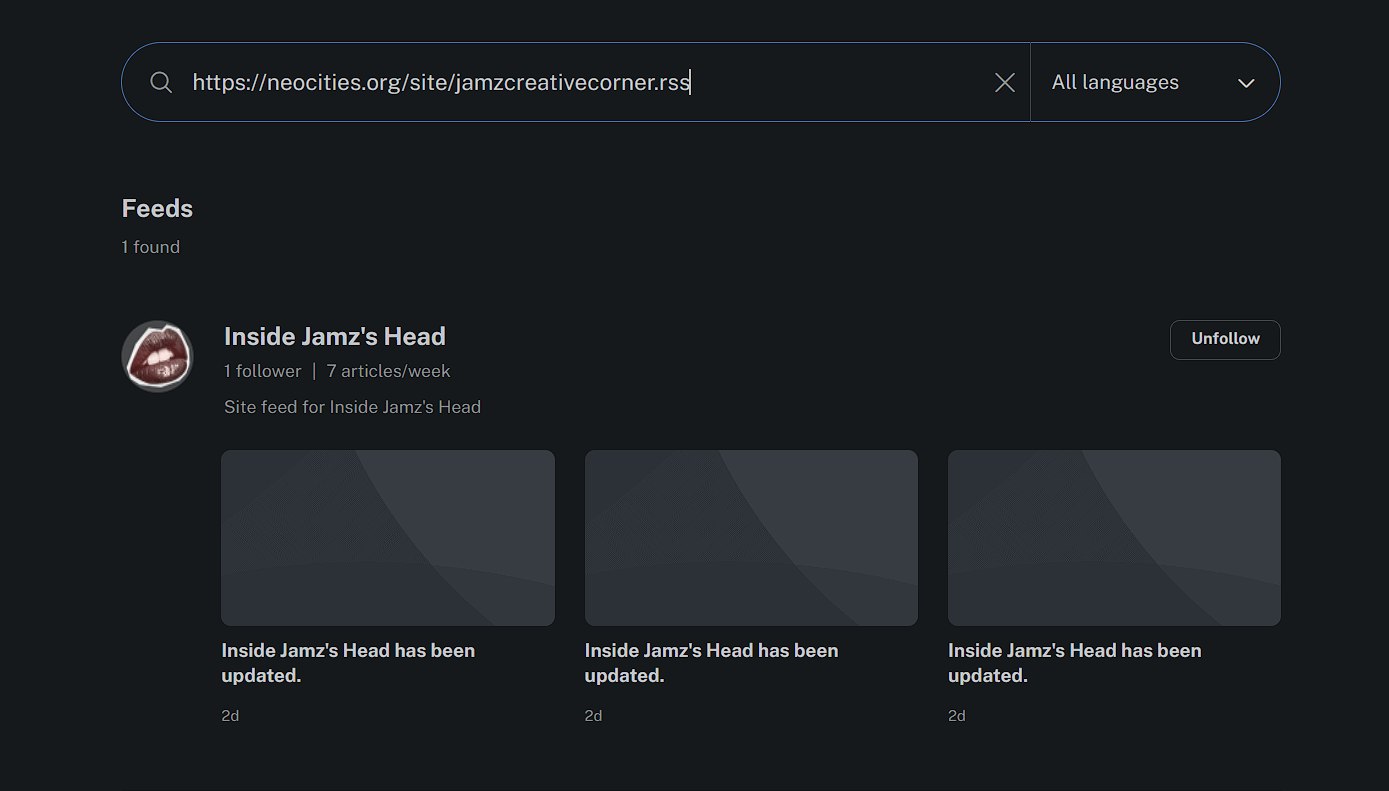
Ugly isn't it? We'll go over how to fix that -->
Create a new file and label it rss.xml
Input the following code in that rss.xml:
<?xml version="1.0" encoding="UTF-8"?>
<rss version="2.0">
<channel>
<title>The name of your RSS feed. This is what subscribers will see in their RSS reader</title>
<link>link to your site</link>
<description>Insert Description here like overall site updates blah blah blah</description>
</channel>
</rss>
Boom! you just created the foundation of your RSS feed. However we aren't done yet.
Notes:
- <?xml version="1.0" encoding="UTF-8"?> --> this declares that this is an XML document, similar to writing <!DOCTYPE html>
- And UTF allows emojis and non English letters to be written
Whenever you have a update you want too inform readers/followers about, then input the following above the end tags (</channel> </rss>):
<item>
<title>Website Version 1.2</title>
<link>https://jamzcreativecorner.neocities.org/blog/version-1-2</link>
<description>New website redesign, added gallery, improved mobile layout.</description>
<pubDate>Wed, 29 Jul 2026 10:00:00 GMT</pubDate>
</item>
That's it! Whenever you wanna post an update simply copy and paste <item> and everything beneath it, and adjust.
Here’s is what it looks like after:
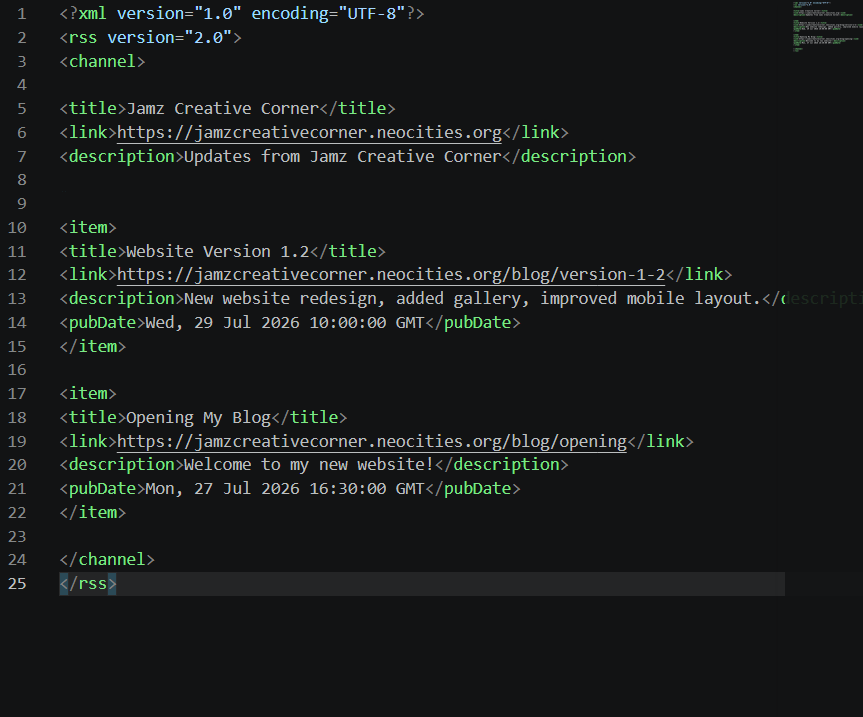
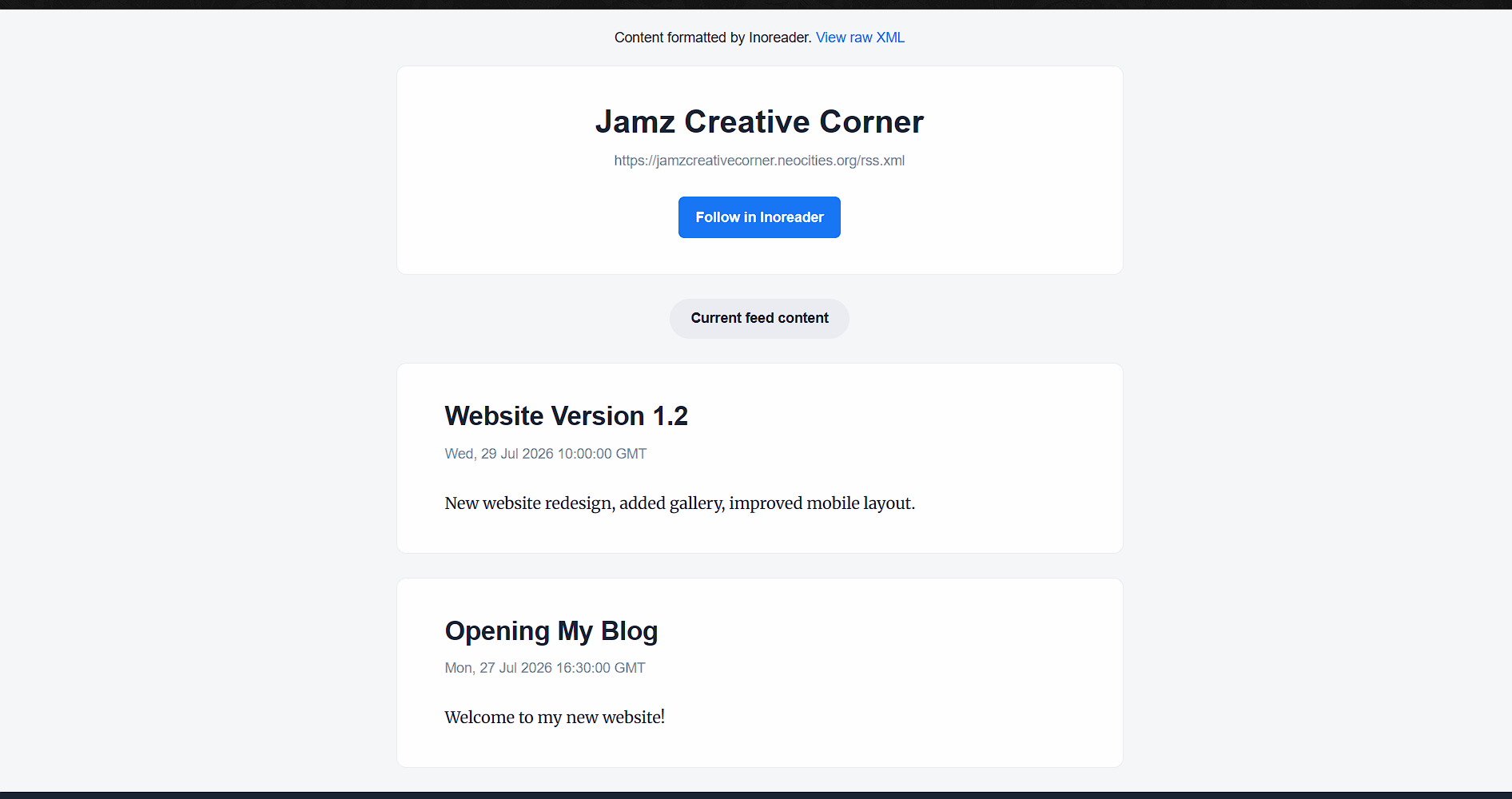
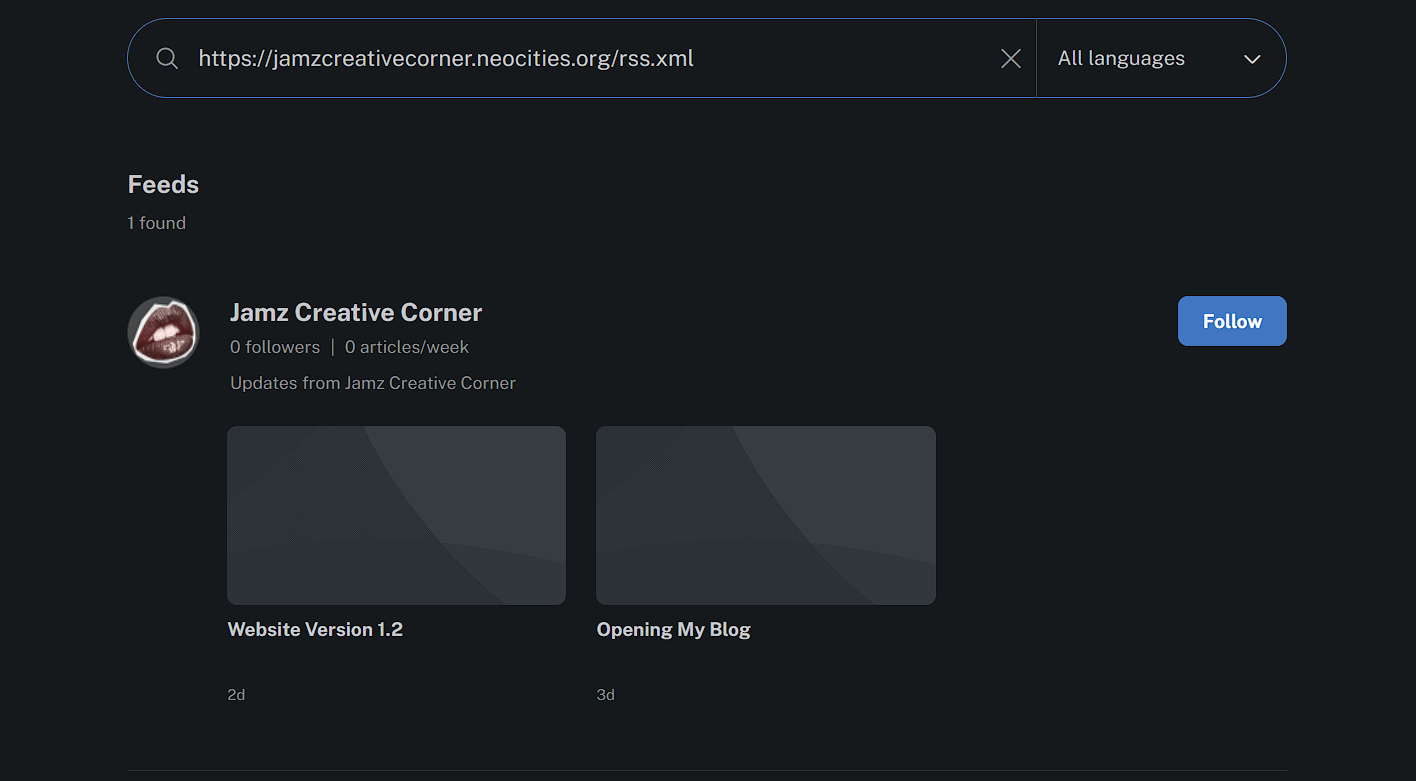
It’s always good to provide a link of the RSS Feed, so if someone wasn’t using inoreader then they can put it in a different reader (there are many different RSS readers)
Neocities RSS (default) - https://neocities.org/site/jamzcreativecorner.rss
Custom RSS - https://jamzcreativecorner.neocities.org/rss/rss.xml
Again if you are interested in web revival or have an independent site, please make use of the RSS Feed. And put the icon where people can see it. I wanna stay updated! Thanks for reading ❤️
(source - youtube video)
Side note - I was kinda in a rush to make this, so sorry for any spelling/grammar mistakes.
Edit:
- you can get really creative with rss feeds and readers. Again you're customizing your Newsfeed, so if you wanna be updated whenever anyone posts a new blog or forum that's possibe. You can even narrow it down to the topic, just be on the look out for the rss symbol.
- I also want to add making RSS feeds and readers more mainstream will allow us to get notifications across platforms. What I mean by this is that I won't need a nekoweb account to stay up to date with your blogs.
Comments
Displaying 11 of 11 comments ( View all | Add Comment )
Erah Mar
I... think(?) I added an RSS feed and button correctly. I don't really know. The button links to the page. If that page is what gets added into a reader, then I think I did it right. Jamz, let me know if I f*cked it up!
Yep! just added your feed to my reader. I see the Chinook Justice Page live and created RSS feed update!! And the link works.
I would advise getting your own reader and following your own feed to see how others see it!
by Jamz💋; ; Report
Sol
I just set up my first rss feed! now i gotta add one for my website lol
Okay I got it set up! Thank you for the guide!
by Sol; ; Report
draven demon
you have inspired me to try my hand at making a neocities page, i've always wanted to and never did
OMGS yippee. I would say that building a website feels like art to me. The same you're taught to break down the face to simple shapes, is that same way I view website building...just a series of boxes
by Jamz💋; ; Report
medeuxsa
So cool!! I feel like there's so much to learn... one day I'll be able to do all this cool stuff!!
Yeah, hopefully me too.... This is very cool and I hope this would be a huge thing again.
This is something Major Websites like "Facebook" and "X" doesn't even offer anymore.
by Cysper04; ; Report
xXx_GeorgeBleedsBlack_xXx
(edited) Report
Favoriting this so I can set this up when I have the time! (Haven't worked on my website in months T_T)
Factory Reset 𝄞𝄢
thank u sm for this! I always saw rss being mengtioned but had no idea what it was! def gonna add it to my website
Thanks for reading, please let me know if it goes well for you!
by Jamz💋; ; Report