

Home» Forum» Web & Tech» When navigation items (i.e Home, Browse, Profile) are in a COLUMN, they seem to get put in the dropdowns

When navigation items (i.e Home, Browse, Profile) are in a COLUMN, they seem to get put in the dropdowns

Back to Web & Tech

I tried putting my nav items in a flex column, noticed that after the page fully loaded the nav items would be put in the dropdowns instead, which i dont like at all. I tried to make it a grid instead in case it checked on styling within the onload function im sure exists, but its probably checking on the width of the entire .myspace-header element?

Im styling my profile rn, i wanna know if any of u have a solution fer this cuz i want my nav items in a nice column instead of the regular row!

This is the initial column state: afbeelding-2026-07-10-170815199.png Go to my profile to see the current state.
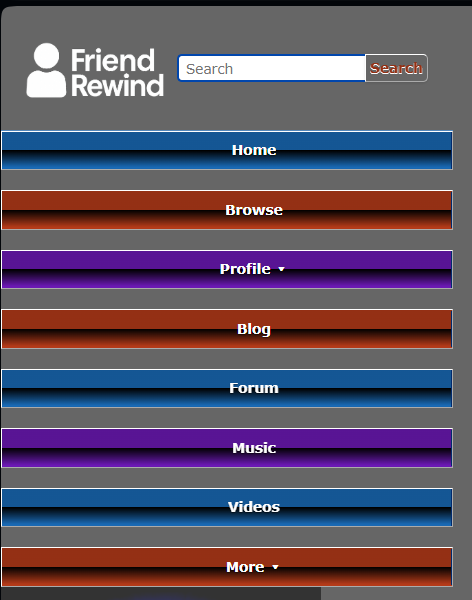
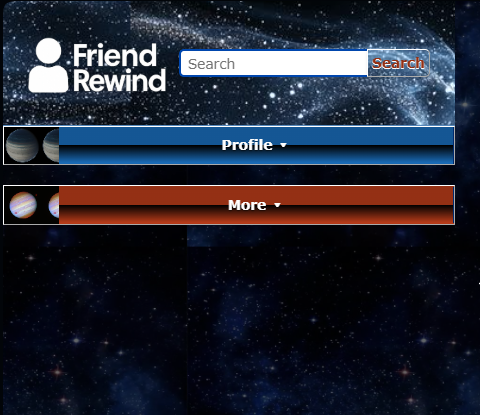
[UPDATE] i found a function in the HTML called updateNavigation, i think its happening in there... its trying to dynamically move the dropdown items when it thinks ur on mobile (on mobile ur navigation header is a lot smaller so yeh..). sooo i think theres absolutely no way to surpass this if im jsut using CSS LMAO,,,, ill have to make sure its a sizeable width which sucks ://

Also, im currently trying to fix it by manipulating the width.. kind of an ugly solution but yk.. so heres the state of it when i first discovered it:

afbeelding-2026-07-10-174021334.png

You must be logged in to reply.