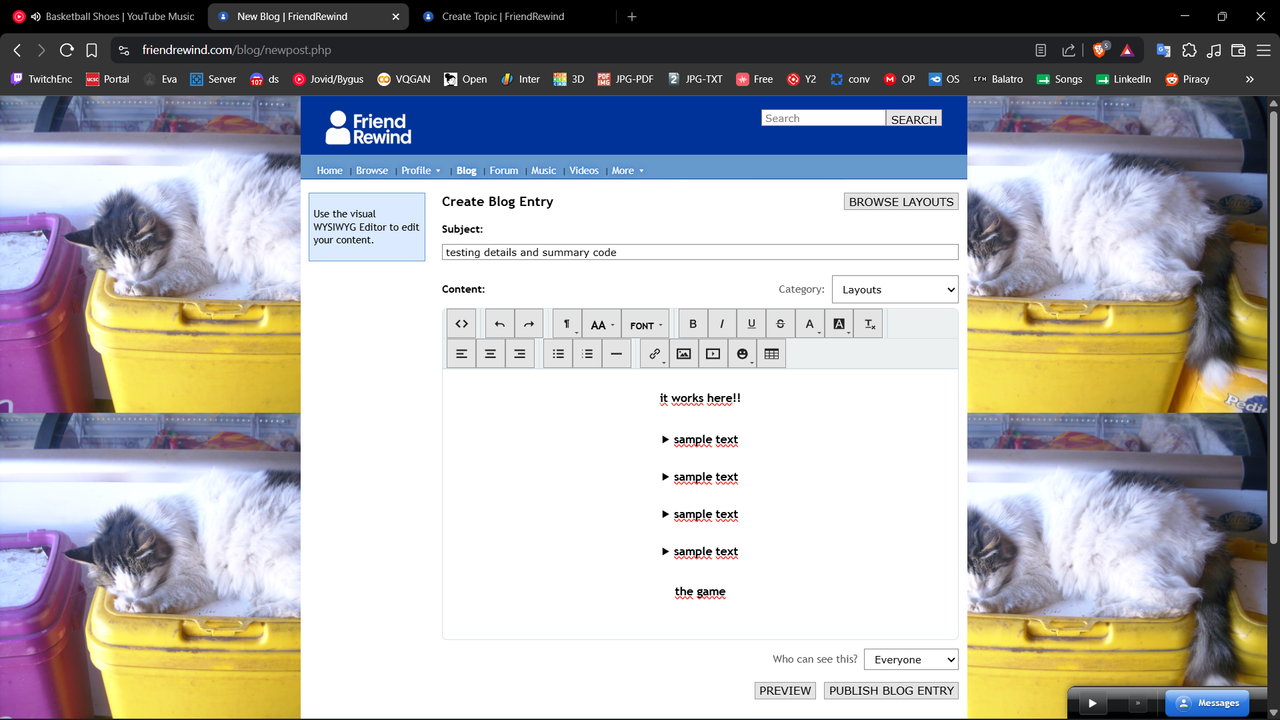
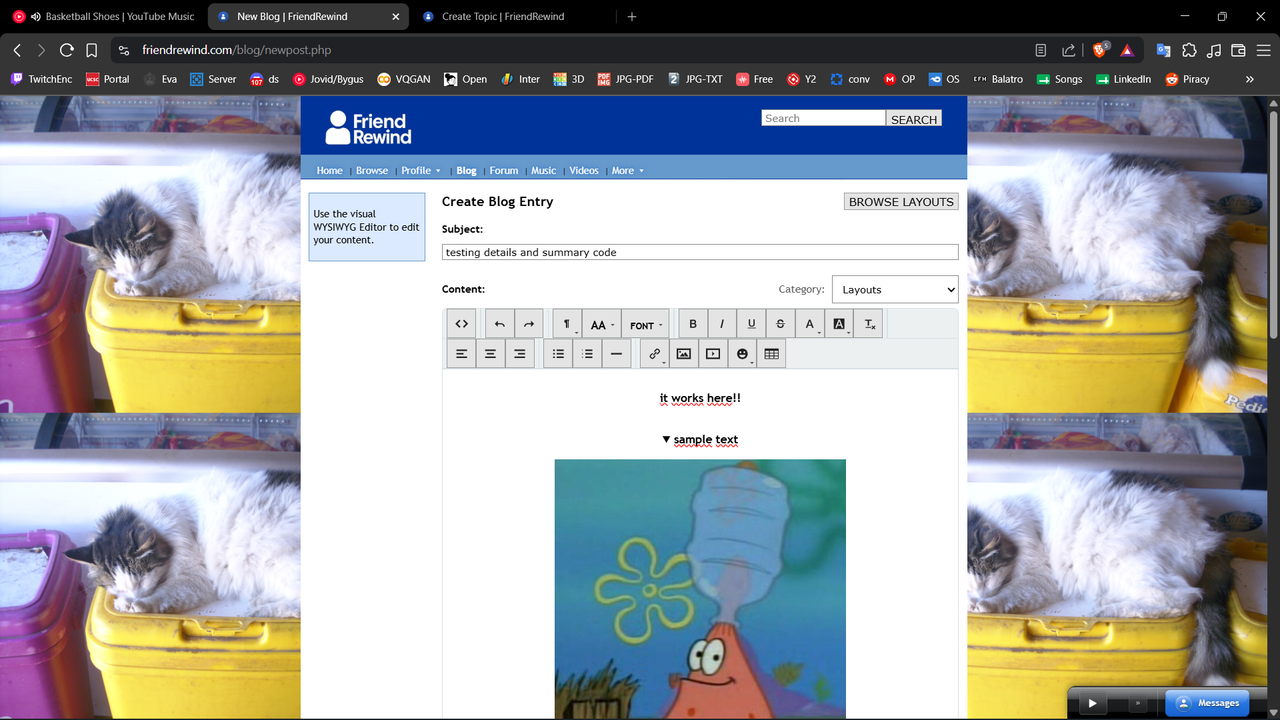
how do i fix this problem? or do i need different code to make it work? also don't worry about the content, i'm working on a new blog post...
screenshots🧐:
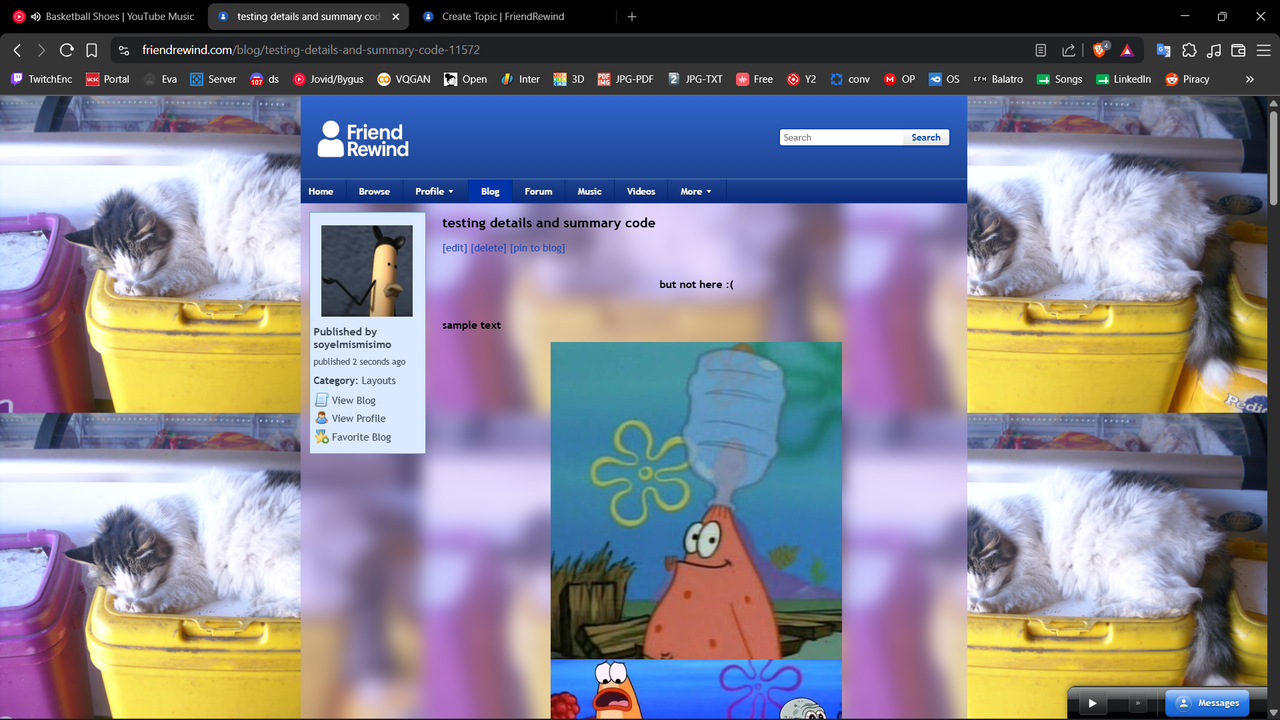
the code itself🔥:

how do i fix this problem? or do i need different code to make it work? also don't worry about the content, i'm working on a new blog post...
screenshots🧐:
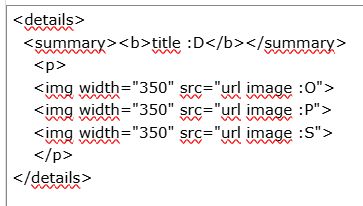
the code itself🔥:
it didn't work🥀 but thanks twin
Según lo que entiendo necesita que el texto del blog esté centrado.
En los blogs de space que hago uso la propiedad text-align: Center.
No se que se selector se usa aquí porque no he probado código en blogs pero puede usar el que uso para los blogs en spacehey.
Las demás propiedades son para color tamaño y espacio entre textos.
.blog-entry .content p {
color:#D8D8D2;
text-align: center;
line-height: 1.8;
font-size:30px;
}
Does the code stay the same after posting? I have trouble with my code switching where the closing code is, so it might end the details early. I've had this problem on my about me and stuff.
 two things awe me most: the starry sky above me, and the moral law within me"
 yeah in edit mode it works perfectly, but the moment i post it, the code breaks
is this about that weird thing it does where it wont leave text after an image or video where you want it and it constantly moves it before it? i hate that.
i find that after everything i put in, in the code if theres "</p>" it usually resolves that and keeps the next text where its at rather than shooting it before the image or video link.
the ploblem is that the posted blog ignores my code, in edit mode it works fine
Las propiedades margin deberían darle margen de espacio de 10px entre imágenes (el número lo cambia de acuerdo a lo que necesite).
Una da para la parte interior y el otro la superior.
Esto es lo que a veces uso cuando necesito espacio en mis blogs de spacehey.
Según su HTML alguno de estos 3 selectores debería funcionar p, p img o img
img {
margin-bottom: 10px;
margin-top:10px
}
Pensé que se trataba del texto así que ignore la primera respuesta ( no ví opción para borrarla yo misma pero si puede hacer eso la borra).
ves que en las primeras capturas hay como una especie de caja que contiene las imágenes? bueno, cuanto posteo el blog esas cajas desaparecen, solo queda el titulo y las imágenes pero sin la caja que las contenía.
mi idea es que cuando clickeas el texto las imágenes se despliegan, solo que no funciona en el blog ya posteado, solo lo hace cuando lo estoy editando.
@soyelmismisimo viendo que otra persona está teniendo el mismo problema posiblemente sea del mismo friendrewind que elimina la etiqueta que permite el funcionamiento del menú desplegable.
Algo así me pasó en spacehey una vez que quise poner un tiktok gracioso para mostrarlo en bulletins.
En la vista previa me lo reproducía pero al publicar el bulletin no funcionaba porque me eliminaba las etiquetas que permitian reproducir el tiktok.
bro is listening to peak (idk how to fix sorry :P)
i'm performative or something like that
I just realised this is actually something happening to me now with a bulletin I'm drafting. It looks like there's some site code that strips < detail > disclosure widget related code from bulletins and blogs, but not profiles, which is pretty weird.
Might be a bug and worth posting about in the Site Feedback forum
You must be logged in to reply.