
Home» Forum» Web & Tech» My Interests table section colors doesn't appear on my page.

My Interests table section colors doesn't appear on my page.

Back to Web & Tech

When I was configuring my profile page layout, I changed the color of the Interests table section and it was supposed to appear light green. However, once I saved it and checked out my page, the color disappeared from the Interests section. Is there anything I can do with this problem? I would appreciate your input to this, here's the screenshots below.
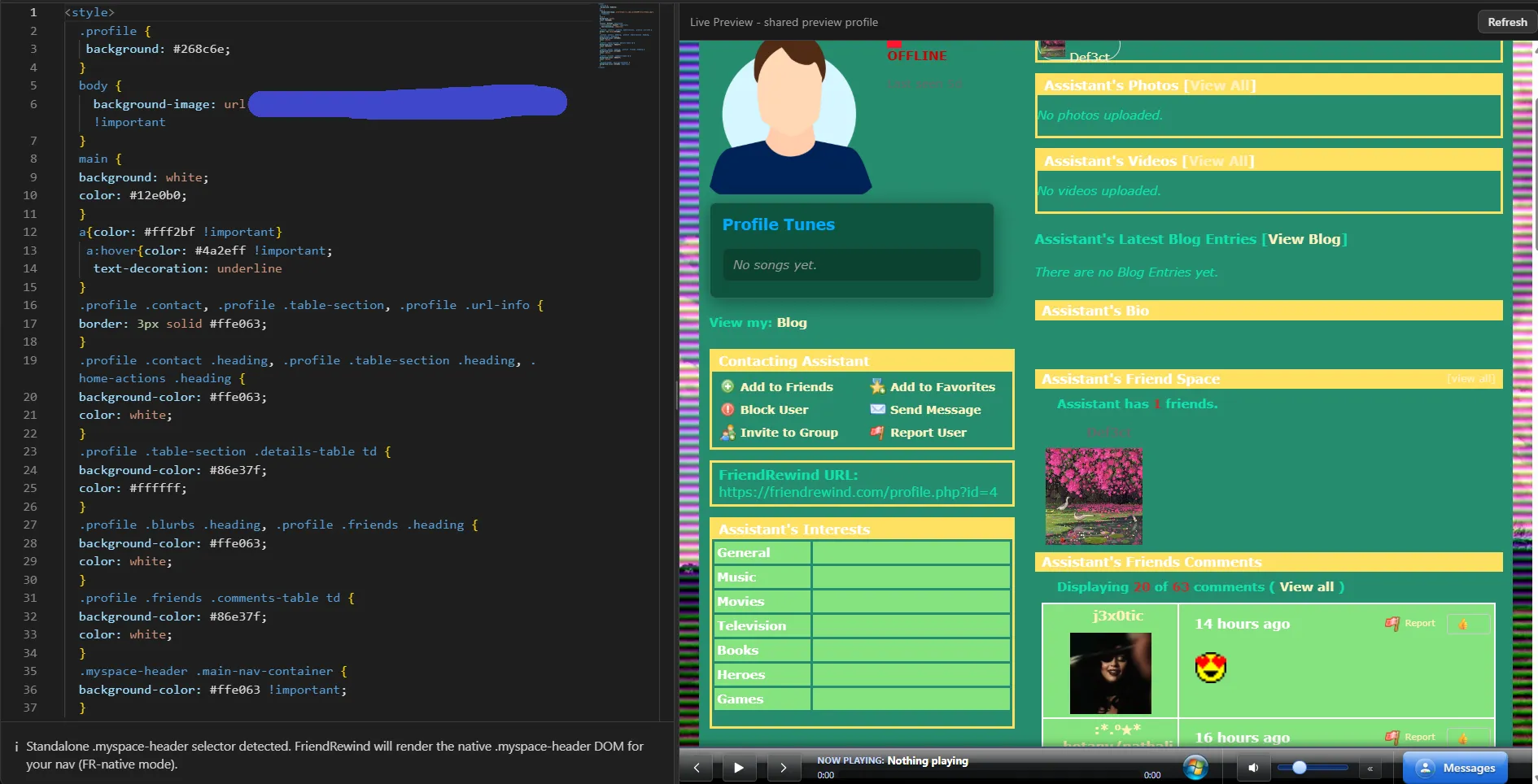


expectedlayoutpage-14AUG2026


mypage-interestscolorissue-14AUG2026

body.profile-page .details-table td, body.profile-page .details-table td:first-child {
  background: transparent !important;
  color: inherit !important;
}

this is what i just lifted from inspect mode

if you find that section of code in your stylesheet, remove it (backup first obvz)

then the other setting should be there

worked for me anyway :hearts:


You must be logged in to reply.