 Newest Elements
 Most Used
 Back to Top
- by Kayla⟡ - Profile Tunes Skins - used 88 times


Discover small copy-paste bits for your profile - music player skins, cursors, scrollbars, name effects, and more. Mix as many as you like; paste each into the Advanced CSS tab of your layout editor.
- by Kayla⟡ - Profile Tunes Skins - used 88 times
- by Def3ct - Profile Tunes Skins - used 15 times

- by Def3ct - Profile Tunes Skins - used 103 times

- by Def3ct - Profile Tunes Skins - used 75 times

- by Def3ct - Profile Tunes Skins - used 57 times

Headspace skin from the classic Windows Media Player!
- by Kayla⟡ - Profile Tunes Skins - used 62 times
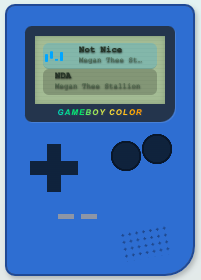
Fully editable, change what you need/want to
- by Kayla⟡ - Profile Tunes Skins - used 111 times

- by Kayla⟡ - Profile Tunes Skins - used 584 times

- by Kayla⟡ - Profile Tunes Skins - used 238 times

Change the color (#2386f4) and size (135px, 160px) as you desire. You can also change the screen size itself (58px)
- by Kayla⟡ - Profile Tunes Skins - used 28 times
This puts one image over the entire box so you don’t see the song, buttons, etc. If you want the WHOLE image visible replace cover with: background-size: contain !important;
- by Kayla⟡ - Profile Tunes Skins - used 17 times
Your Profile Tunes box stays exactly where it is, but the fixed music player at the bottom of the page disappears
- by Kayla⟡ - Profile Tunes Skins - used 28 times
This removes the whole Profile Tunes section from your profile. Your bottom music player stays visible.
- by sicvitahumana - Profile Tunes Skins - used 21 times
- by Kayla⟡ - Profile Tunes Skins - used 113 times
- by Kayla⟡ - Profile Tunes Skins - used 106 times

Paste it at the bottom of your profile code. This hides only the Profile Tunes title, NOT the actual song title or artist names
- by Kayla⟡ - Profile Tunes Skins - used 131 times
Add an image or GIF behind your Profile Tunes player
- by x_v4mp3y3lin3r_x - Profile Tunes Skins - used 375 times

Change the width of the box by increasing/decreasing the width percentage in the "div#profile-playlist-container" element! (the very first thing in the code!) The color hex codes used are: #000 (black), #fff (white), and #6E6E6E (light gray) so feel free to change those out for any colors you want....
- by FriendRewind Team - Profile Tunes Skins - used 63 times
Pink-and-cyan Profile Tunes skin with a purple gradient card. Pure aesthetic.
- by FriendRewind Team - Profile Tunes Skins - used 41 times
Earthy skin for the Profile Tunes widget: the song that's playing turns green, the equalizer bars go orange, finished songs fade out.