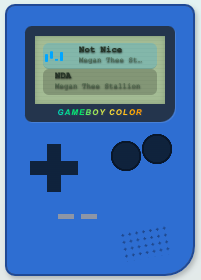
Discover small copy-paste bits for your profile - music player skins, cursors, scrollbars, name effects, and more. Mix as many as you like; paste each into the Advanced CSS tab of your layout editor.
the code will give you images in all corners, fixed on your profile background, so when you scroll on your profile, they will stay while scrolling.
I'm shit at writing descriptions, but I hope this helps
*image address in between "" quotes
if it messes up comment on the post
Hey so I made this original blog on SpaceHey just wanted to move it also to friendrewind since it wasn’t made so here make sure you put your username and into the custom ccs/html, and yeah here you go!
with this code you can customize the selection color on your profile or blogs ! just put any color code in the background, you can also change the color of the highlighted text
inspired by those ddlc chibi pagedolls that change images on hover. the hover animation is inspired by ddlc as well!
if sayaka isn't up to your tastes, you can change the character freely. replace the first background-image url with your default image, and the second with your hover image. you ca...
you can change the div to anything else you want really, it doesn't have to just be a details table ^^ I recommend having minimal knowledge on HTML if you do change it though. but editing just the text is very easy ofc ^^
⚠️❗⚠️❗⚠️IMPORTANT:⚠️❗⚠️❗⚠️
1. Do NOT put the HTML in your layout section!!...
gif can be changed to anything you want really as long as you replace the img link to a new one
(oh yeah and everything else in the code is customisable too)
IMPORTANT: this blinkies dont go the layout, instead they should be at your bio or general area!
random blinkies found on tumblr, i used a spacehey tutorial as a base!
if you want to add your own blinkies use the base above the blinkies! to add you one you just copy the image address :)
ps: i ...
Go to Google Fonts and pick a font you like.
Click Get font → Get embed code.
Copy the @import line.
Replace the example @import and font name below with yours.
Change the size and color however you want.

 Newest Elements
 Most Used
 Back to Top